Today I bury an old, dear friend
Goodbye, iterm2 you served me well. I enjoyed the tmux style multipaning, the easy to remember shortcuts, the customization! I will not miss your annoying tooltips, your constant 'are you sure blah' messages when I want to change the theme, or your inability to keep up with claude codes relentelss consumption of memory on my 10th tab.
Leaving the familiar iterm2 world for a ghostly new adventure
i've been using iterm2 as my daily driver terminal emulator ever since I switched over to MacOS, from my previous Linux/WSL machines, some 3 years ago. It's been great! I realy like the easy to customize menu with the GUI and whatnot, I think this was super important for me to quickly tweak settings and see what they do live. So many things I can read in a config file and go, 'what the hell does that even do?' and with iterm2 I got to see it live. But it was time to move on, I started encountering some slowness when running many coding agent windows at once while I was multitasking and the rendering would get kind of wonky. The cargo cult has not overtaken me completely, but ghostty was looking mighty appealing. It's claim to fame is being built on Zig, and leveraging GPU rendering with metal on MacOS should perform better than iterm2 (which I did have gpu rendering enabled for).
Soo today I finally gave it a shot, I installed it with homebrew on my work computer and then once I realized the config file is a plain text file with key value pairs configuring everything I just prompted Claude to copy over the relevant iterm2 configs that I had over to ghostty so that my developer experience remained unchanged. And it worked! Thank you Claude.
Choosing a theme
I actually had gotten a little bit tired of the iterm3 light theme I was using. I go back and forth on dark vs light themes, sometimes I think light is easier to read with the display brightness low (actually set to 0 on my monitor) because I feel like that's probably just less straining on my eyes? idk. But lately for terminal work I think it's a lot of white and it gets a bit blinding.
This is where my favorite ghostty feature comes in to play! The command line has a utility that interactively lists all the available themes! complete with a preview!
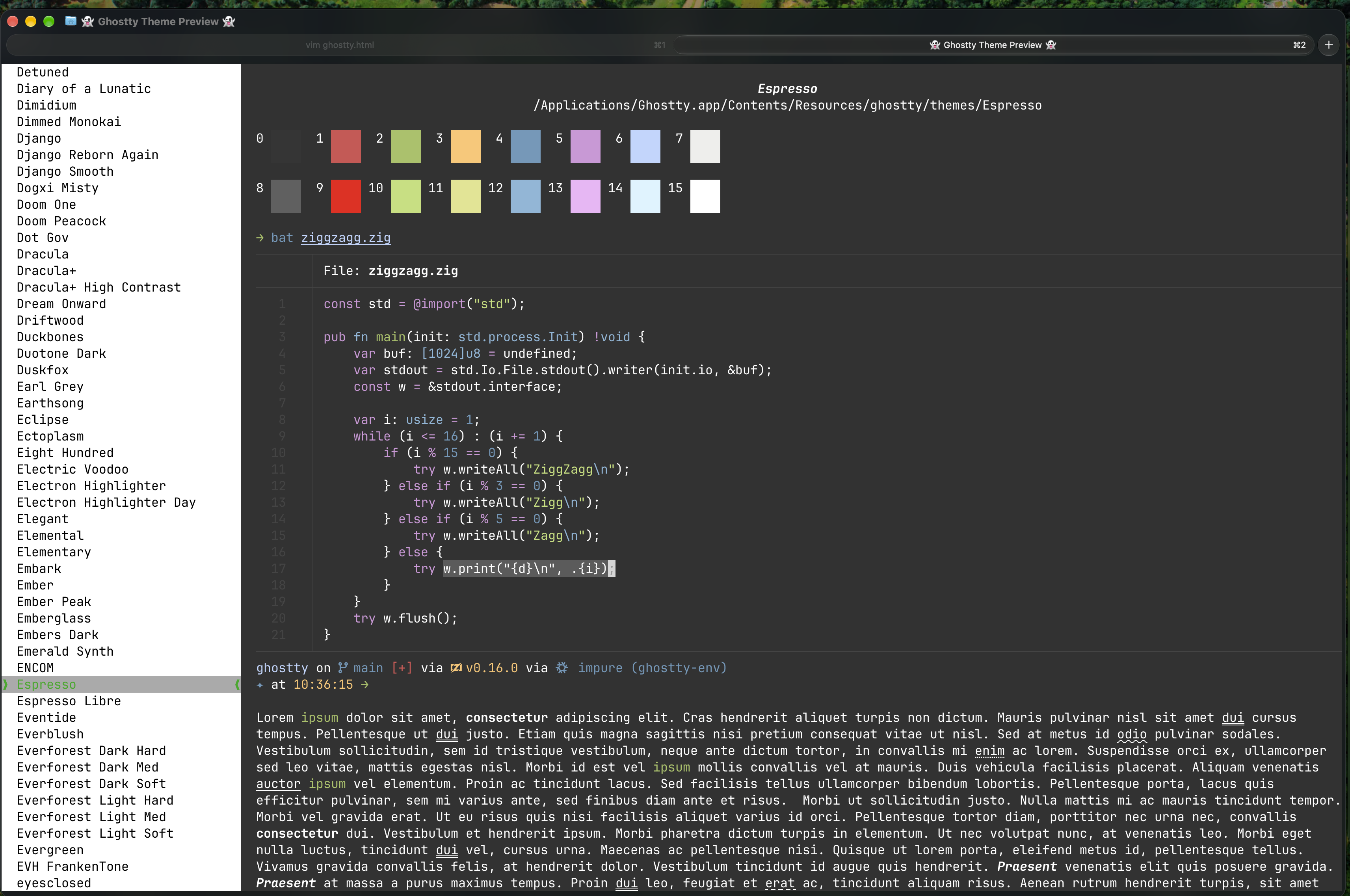
This was pretty cool to find, no more having to go to some random website to see some tiny snippet of a theme, you can view it live! How cool is that. ghostty +list-themes is all it takes. I decided to go for 'espresso' because I liked the subtle look of it, the matte vibes has the benefits of dark mode (lower eye strain) without being too dark/black where it doesn't render as well at lower monitor brightness that I like to run. I combine this with a slight amount of transparency with high blur to make the surface enjoyable enough to look at and dynamic with my background (currently Yosemite).
TLDR
That was a lot of yap. TLDR: ghostty is pretty good, easy to configure (just get claude to convert your current terminal emulator settings) and comes with lots of great themes out the box. Plus, it runs super well, what more could you want?